
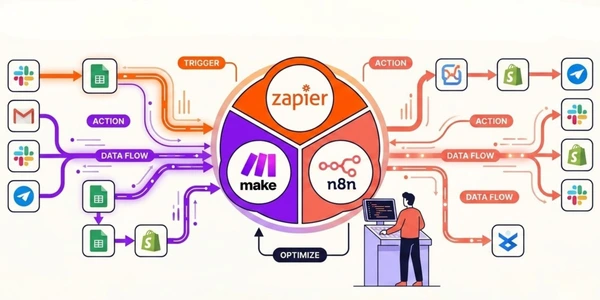
I modeled the same 5-step automation across Zapier, Make, and n8n: a new form submission triggers a Slack notification, logs a row in Google Sheets, sends a confirmation email, and updates a CRM field. Four actions. Nothing exotic.
Under the public billing models, Zapier counts each action as a task, Make counts executed modules as credits, and self-hosted n8n replaces a per-execution SaaS bill with server and maintenance cost.
At 200 runs per month, that's 1,000 Zapier tasks ($19.99/month on Professional), 1,000 Make credits (free tier), and 1,000 n8n executions (free forever on Community). Same result. Three wildly different invoices. And that gap only gets worse as you scale.
Most "Zapier vs Make vs n8n" articles give you a feature matrix and call it a day. The useful comparison starts by modeling those different billing units.
-
#1 MakeBest value for most teams — visual builder, 60-80% cheaper than Zapier
-
#2 n8nBest for devs and self-hosters — unlimited free executions, full control
-
#3 ZapierBest for non-technical users — easiest setup, biggest app library
The Cost Reality Nobody Publishes
Automation pricing is intentionally confusing. Zapier counts "tasks." Make counts "credits" (formerly "operations"). n8n counts "executions." They don't mean the same thing.
Zapier tasks: Every action step counts as one task. The trigger is free. So a 5-step Zap (trigger + 4 actions) burns 4 tasks per run. The Professional plan starts at $19.99/month for 750 tasks. Overages? You get billed automatically. No warning email, no grace period, just a higher bill at the end of the month. The r/Zapier and r/selfhosted communities are full of people discovering surprise $80+ invoices.
Make credits: Every module that executes counts as one credit. At the current 10,000-credit monthly level, Core is $12/month, Pro is $21, and Teams is $38; annual billing can be cheaper. The per-run cost still depends on how many modules execute.
n8n executions: Each workflow run counts as one execution, regardless of how many nodes it has. A 15-node workflow costs the same as a 2-node workflow. Cloud Starter is €24/month for 2,500 executions. Self-hosted Community Edition? Unlimited. Forever. You pay only for your server (typically €5-20/month on Hetzner or DigitalOcean).
Let me put real numbers on this. Say you run 5,000 automations per month, each with 4 action steps:
- Zapier: 20,000 tasks → somewhere around $100-150/month on a scaled Professional plan
- Make: 20,000 credits → model the required credit level in the calculator; Core is $12 and Pro is $21 at the 10,000-credit monthly level
- n8n Cloud: 5,000 executions → €24/month on Starter (2,500 base, may need Pro at €60)
- n8n self-hosted: 5,000 executions → €5-20/month for server costs only
Zapier costs 5-10x more than Make for the same work. That's not a rounding error. That's a line item your CFO will notice.
Zapier — You're Paying for Convenience (and It Shows)
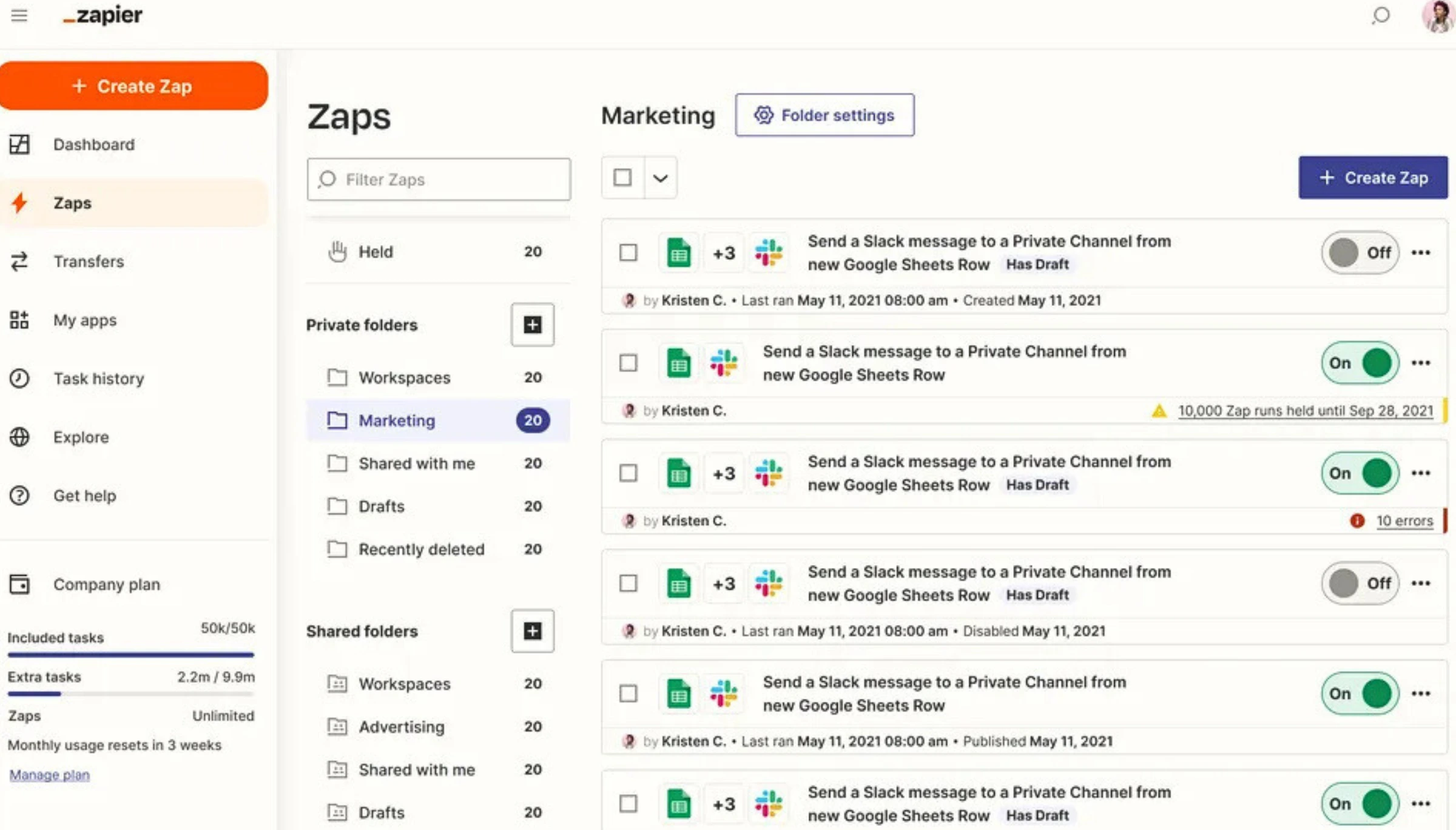
I'll give Zapier this: nothing else sets up faster. You can connect Gmail to Slack in literally 90 seconds. The interface holds your hand through every step. If the phrase "HTTP request header" makes your eyes glaze over, Zapier is the only tool here where you'll actually finish building your first automation.
The app library is massive at 7,000+ integrations. Make has around 2,000. n8n has roughly 1,000 native nodes. For niche SaaS tools (think industry-specific CRMs, obscure email platforms, that one project management tool your company insists on using), Zapier probably has the connector. Make and n8n might require a custom HTTP module.
But here's where it falls apart. Zapier's workflow builder is fundamentally linear. Trigger → Action 1 → Action 2 → Action 3. Need a conditional branch? Need to run two actions in parallel? Need to loop through an array of items? You can do it, but it's clunky. Paths (Zapier's branching feature) are locked behind the Professional plan, and even then the visual editor gets confusing fast with nested logic.
The 2026 additions are interesting but don't change the value equation. Zapier bundled Tables (database), Interfaces (forms/apps), and MCP (AI agent connections) into every plan. That sounds generous until you realize they're trying to be an all-in-one platform instead of the best automation tool. Tables is a basic Airtable clone. Interfaces is a simple form builder. Neither replaces a dedicated tool.
And the pricing. Zapier's $19.99/month entry point for 750 tasks is difficult to compare with Make's $12 Core plan at the 10,000-credit monthly level because a task and a credit are not identical. The math only works when you model the real step count and value Zapier's setup time savings.
7,000+ native integrations and the fastest setup time make it the only tool where non-technical people finish their first automation.
Anyone running over 2,000 tasks per month or needing branching logic, since Make delivers the same power at one-sixth the cost.
- 7,000+ native integrations — the largest app library by a wide margin. If a SaaS tool exists, Zapier probably connects to it
- Fastest setup time. A non-technical person can build their first automation in under 2 minutes flat
- New unified plan bundles Tables, Interfaces, and MCP alongside Zaps — no separate subscriptions needed
- Rock-solid reliability and uptime. Enterprise-grade infrastructure with SOC 2 compliance
- Pricing can climb quickly at scale; compare the real action count with Make credits and n8n executions
- Linear workflow model limits complex automations. Branching paths, loops, and parallel execution are clunky compared to Make's visual canvas
- Automatic overage billing with no warning. Reddit users report surprise $80-200 invoices when workflows spike
- No self-hosting option. Your data flows through Zapier's servers — period. No way around it for compliance-heavy industries
Use it or skip it? Use it if your team is non-technical and you need basic automations (under 750 tasks/month) running fast. Skip it the moment you cross 2,000 tasks or need branching logic. You'll save 60-80% switching to Make.
Make — The Middle Ground That's Actually Winning
Make used to be Integromat. Rebranded, redesigned, same DNA underneath. And that DNA is good.
The visual canvas builder is what Zapier should have been. You see your entire automation as a flowchart: modules connected by lines, branches splitting off, error handlers attached to specific steps. When something breaks (and automations break constantly), you can see exactly where it failed. In Zapier, you're scrolling through a linear list of steps trying to find the one that errored. In Make, you click the red module. Done.
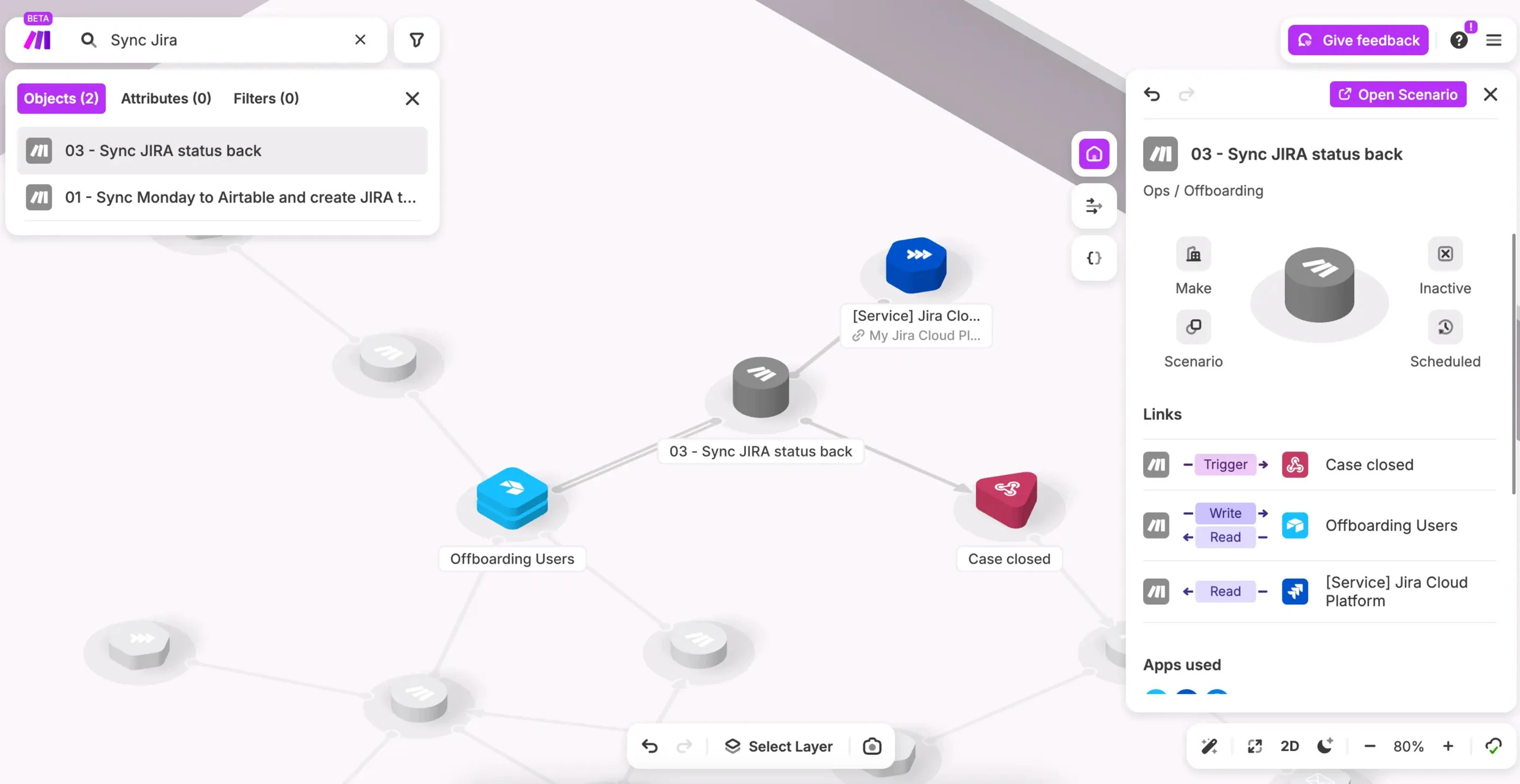
I've been burned by automation tools that look great in demos but choke on real data. Make handles edge cases better than I expected. The error handling module lets you define what happens when a step fails: retry, skip, send an alert, roll back. Zapier's error handling is basically "it failed, here's an email about it." n8n's is powerful but requires JavaScript knowledge to set up properly.
The 2026 updates actually matter here. Rollover credits are huge. If you have a seasonal business or campaigns that spike certain months, unused credits now carry over for one billing cycle. And the new AI Toolkit lets you plug in your own OpenAI, Anthropic, or other AI provider directly into scenarios. You pick the model. You control the costs. Zapier's AI features use their own abstraction layer which limits your choices.
One limit: automation platforms can move tickets between systems, but they are not help desks. If the goal is answering repetitive customer questions, deflecting chat volume, or handing conversations back to agents cleanly, start with a real AI customer support tool and use Make around it. If the base desk is still undecided, the Help Scout vs Intercom vs Zendesk comparison covers that layer before automation enters the stack.
Where Make stumbles: the learning curve. It's not Zapier-simple. The module configuration panels have a lot of fields, the data mapping uses a custom expression language, and error messages can be cryptic. Budget 2-3 hours to build your first real scenario vs. 10 minutes on Zapier. The r/nocode consensus matches this: "Make is more powerful but took me a weekend to really get."
Core starts at $12/month at the 10,000-credit monthly level, while the visual canvas makes branching and debugging easier to inspect.
Teams needing self-hosting or data sovereignty, since Make is cloud-only like Zapier.
- Core is $12/month at the 10,000-credit monthly level; annual billing can be cheaper
- Visual canvas builder shows your entire workflow as a flowchart. Branching, loops, error handling all visible at a glance
- Rollover credits (2026): unused credits carry forward one month on paid plans. Game-saver for seasonal businesses
- AI Toolkit lets you connect your own AI provider (OpenAI, Anthropic) directly. No vendor lock-in on AI features
- Around 2,000 integrations vs Zapier's 7,000+. Niche tools often need custom HTTP modules
- Steeper learning curve. Data mapping uses a custom expression language that takes time to master. First real scenario takes 2-3 hours
- No self-hosting option. Cloud-only, like Zapier. Data sovereignty teams need n8n
- The pricing page switched from 'operations' to 'credits' in 2026. Existing users report confusion about how the conversion works
Use it or skip it? Use it. For most teams doing 1,000-50,000 automations per month, Make is the sweet spot. You get 80% of Zapier's convenience at 20% of the cost, plus workflow power that Zapier can't match. Skip it only if you need self-hosting or your team truly can't handle a visual builder.
n8n — The Developer's Dream (and Everyone Else's Nightmare)
n8n raised $55 million in Series B funding in 2024. What started as a side project is now going after enterprise customers. And honestly? For the right team, it's unbeatable.
Self-hosting is the killer feature. Install n8n on a $5/month VPS, run unlimited workflows with unlimited executions, keep all data on your own servers. No per-task fees, no credit limits. For a company running 50,000+ automations per month, that's potentially saving thousands of dollars compared to Zapier or Make.
The node editor is the most flexible of the three. Each node handles one operation (HTTP request, database query, code execution, conditional routing) and you wire them together visually. Unlike Make's canvas, n8n lets you write custom JavaScript or Python directly inside a Code node. Need to parse a weird API response or implement logic that no pre-built module supports? You just... write it. That's either liberating or terrifying depending on who you are.
Here's the part the n8n fanbase doesn't want to hear: it's not ready for non-technical teams. The interface assumes you know what JSON is. Error messages reference node types and execution IDs, not "your Gmail connection broke." Setting up OAuth connections requires understanding redirect URIs. One Reddit thread I found sums it up: "n8n is incredible if you have a developer. If you don't, you'll spend more time fixing automations than the automations save you."
Cloud pricing is mid-range. Starter at €24/month gives you 2,500 executions, reasonable for small usage. Pro at €60/month for 10,000 executions. But the jump to Business (€800/month for SSO and 40,000 executions) is steep. If your company needs SSO but doesn't run that many automations, you're paying a lot for one feature. Self-hosted avoids all of this, but then you're managing infrastructure.
Self-hosted Community Edition is free forever with unlimited executions and complete data sovereignty.
Non-technical teams where nobody wants to debug a JavaScript error at 6pm on a Friday.
- Self-hosted Community Edition is free forever with unlimited executions. You only pay for server costs (~$5-20/month)
- Full code access inside workflows. Write JavaScript or Python directly in Code nodes for custom logic no pre-built module covers
- 1,000+ native integrations plus an HTTP Request node that connects to literally any API. If it has an endpoint, n8n can talk to it
- Complete data sovereignty. Self-hosted means your automation data never touches third-party servers. A real compliance differentiator
- Steep learning curve for non-developers. The interface assumes familiarity with JSON, APIs, and authentication flows
- Self-hosting means you own maintenance — security patches, backups, scaling, uptime monitoring. That's real engineering time
- Cloud Business plan jumps from €60/month (Pro) to €800/month. The pricing gap for SSO is brutal for mid-size teams
- Smaller integration library than Zapier (1,000 vs 7,000+). Obscure SaaS tools often require building custom HTTP nodes from scratch
Use it or skip it? Use it if you have a developer on staff and care about cost control or data sovereignty. Skip it if your team runs on no-code tools and nobody wants to debug a JavaScript error at 6pm on a Friday.
The AI Angle: All Three Are Chasing Agents
Every automation platform shipped AI features in 2025-2026. But they're not equal.
Zapier launched AI Actions and natural language workflow creation. Tell it "when I get an email from a client, summarize it and post to Slack" and it generates the Zap. Cool demo. In practice, the generated Zaps need manual tweaking about half the time. And AI Actions (letting external AI agents trigger Zapier workflows) is genuinely useful for teams building ChatGPT or Claude integrations. If the agent needs to read or update tasks rather than trigger generic automations, compare Superlist MCP, Todoist MCP, and Linear Agent first.
Make released AI Agents and an AI Toolkit where you pick your own AI provider. Connect your OpenAI or Anthropic API key, choose the model, control the prompt. No middleman. For teams already using AI in their stack, this is the most flexible approach. You're not locked into whatever model the platform chose.
n8n has the deepest AI integration because you can build literally anything with code nodes. AI agent workflows with memory, tool calling, RAG pipelines. The n8n templates for these exist and they work. But building them requires understanding both n8n and AI agent architecture. It's a power tool, not a feature.
If those automations start with outbound tools instead of product events, our Instantly vs Lemlist comparison breaks down which sales-engagement stack is actually worth piping into your CRM.
Bottom line: if AI automation is your primary use case, Make gives you the best balance of flexibility and usability. n8n gives you the most power. Zapier gives you the easiest start. And if you want to skip the DIY approach entirely, our AI agents roundup covers platforms that handle the reasoning part for you.
Side-by-Side Comparison
| Feature | Zapier | Make | n8n |
|---|---|---|---|
| Starting price (annual) | $19.99/mo (750 tasks) | $12/mo Core at 10,000 credits; annual can be cheaper | Free (self-host) / €24/mo cloud |
| Free tier | 100 tasks, single-step only | 1,000 credits, unlimited scenarios | Unlimited (self-host) / 14-day trial |
| Integrations | 7,000+ | 2,000+ | 1,000+ nodes |
| Billing model | Per task (action steps) | Per credit (module executions) | Per execution (whole workflow) |
| Self-hosting | No | No | Yes (Community Edition) |
| Visual builder | Linear (basic) | Canvas flowchart (advanced) | Node-based canvas (advanced) |
| Branching logic | Paths (Pro+ only) | Native routers + filters | IF/Switch nodes, merge, loops |
| Error handling | Email alerts only | Module-level retry, skip, rollback | Try/Catch nodes, custom JS |
| AI features | AI Actions, NL workflow builder | AI Toolkit (BYO provider), AI Agents | Full code access, agent templates |
| Learning curve | Very easy (minutes) | Moderate (hours to days) | Steep (days to weeks) |
| Code execution | Limited (Code by Zapier) | JavaScript / custom functions | Full JS/Python in Code nodes |
| SOC 2 / compliance | SOC 2 Type II | SOC 2 Type II, GDPR | SOC 2 (cloud), full control (self-host) |
| Affiliate program | Partner-only (no public) | 35% for 12 months | 30% for 12 months |
| Trustpilot | 2.7/5 | 3.2/5 | N/A |
| Action | Try Zapier | Try Make | Try n8n |
Who Should Pick What
Pick Zapier if you're:
- A small team with zero technical skills who needs basic automations running in minutes, not hours
- Under 750 tasks per month and the $19.99 price tag doesn't make you flinch
- Using niche SaaS tools that only Zapier has connectors for. Check their integrations directory first
Pick Make if you're:
- Running 1,000-50,000 automations monthly and tired of Zapier's pricing. The switch saves 60-80%
- A team that needs branching workflows, error handling, and conditional logic without writing code
- Building AI-powered automations and want to connect your own OpenAI/Anthropic key directly
Pick n8n if you're:
- A dev team that wants full control: self-host, write custom code, own your data
- Running high-volume automations (50,000+/month) where per-task pricing would destroy your budget
- In a regulated industry where data can't leave your servers: healthcare, finance, government
Pick none of these if: you just need to connect 2 apps with a simple rule. iOS Shortcuts, IFTTT, or even Google Apps Script might be all you need. Not everything requires a $20/month automation platform.
Frequently Asked Questions
Final Verdict
I've automated everything from meeting transcriptions to project management task syncing to email marketing sequences to crypto price alerts. Used all three platforms for months each. Here's what I actually think.
Zapier is coasting on brand recognition. The product is solid and the integrations are unmatched, but the pricing hasn't adjusted to a world where Make exists at one-sixth the cost. If you're already on Zapier and spending more than $50/month, run the numbers on Make. Seriously. Open a spreadsheet, count your monthly tasks, and compare. I'll bet the switch saves you enough to buy your team lunch every month.
Make is the right answer for most teams reading this. Visual workflows that are genuinely powerful, pricing that doesn't punish you for growing, and enough integrations to cover 90% of standard SaaS stacks. The learning curve is real. It's not a 2-minute setup like Zapier. But the 3 hours you spend learning Make will save you hundreds of dollars per month in automation costs.
n8n is the right answer for a specific kind of team, one with at least one developer who's comfortable with JavaScript, API debugging, and server management. For that team, n8n is unbeatable. Unlimited self-hosted executions, complete data control, and workflow flexibility that neither Zapier nor Make can touch. For everyone else, it's a beautiful tool you'll struggle to use.
My pick: Make. Best balance of power, price, and accessibility. And if you have a dev team ready to own the infrastructure, n8n self-hosted is the long-term smart money play.
Ready to check Make?
Use the verified route if the trade-offs still fit. If not, jump back to the summary and compare the alternatives.
Crypto and productivity editor focused on cost, custody risk, setup friction, exports, fees, and workflow drag. Prioritizes verifiable numbers and clear skip criteria over hype.
Lucas starts with total operating cost, then ranks tools by setup and recurring friction, custody or export, reversibility, and whether the decision still makes sense when the exit path is included.
Related Articles

Hey Noah vs Lindy vs Fyxer: Best AI Executive Assistant
AI executive assistants compared by action authority, reversibility, workflow fit, cost predictability, context reach, and trust readiness
Compare Hey Noah, Lindy, and Fyxer by approvals, email sending, scheduling, calls, integrations, security, and current entry prices.

Paste vs Maccy vs Raycast: Which Mac Clipboard Manager Fits?
Mac clipboard managers compared by local history, Apple-device sync, privacy posture, launcher fit, setup burden, and subscription value
Paste, Maccy, and Raycast compared by clipboard history, Apple-device sync, local storage, privacy posture, pricing, and workflow fit.