
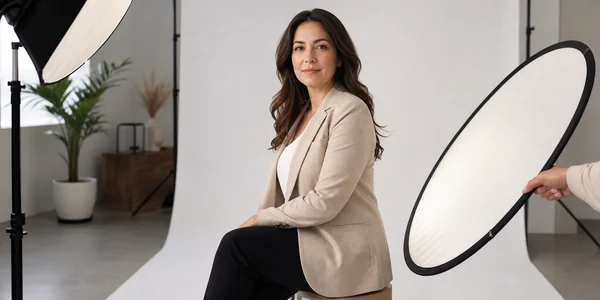
A professional headshot from a photographer costs $150 to $400. You book a session, show up in a nice shirt, and 48 hours later you get 5-10 retouched images. It's been this way for decades.
Then AI headshot generators showed up charging $29 and promising the same thing in two hours. Every LinkedIn influencer started posting about how they "saved hundreds" with AI photos. Forbes wrote a puff piece. Then another. Then twelve more sites copied it.
Nobody showed the bad ones.
We dug into 8 different AI headshot generators: real user results, Reddit threads, Trustpilot reviews, official output galleries, and the pricing fine print nobody reads. The results range from "genuinely impressive" to "why does my neck look like a hot dog." Some of these tools produce photos good enough to fool anyone on LinkedIn. Others produce uncanny valley nightmares that scream "I used an AI and it went wrong."
Here's which ones are worth the money, and which ones will make you look like a GTA loading screen character.
-
#1 HeadshotProBest overall — most consistently natural results, 14-day refund
-
#2 BetterPicMost realistic skin textures — the Reddit favorite for a reason
-
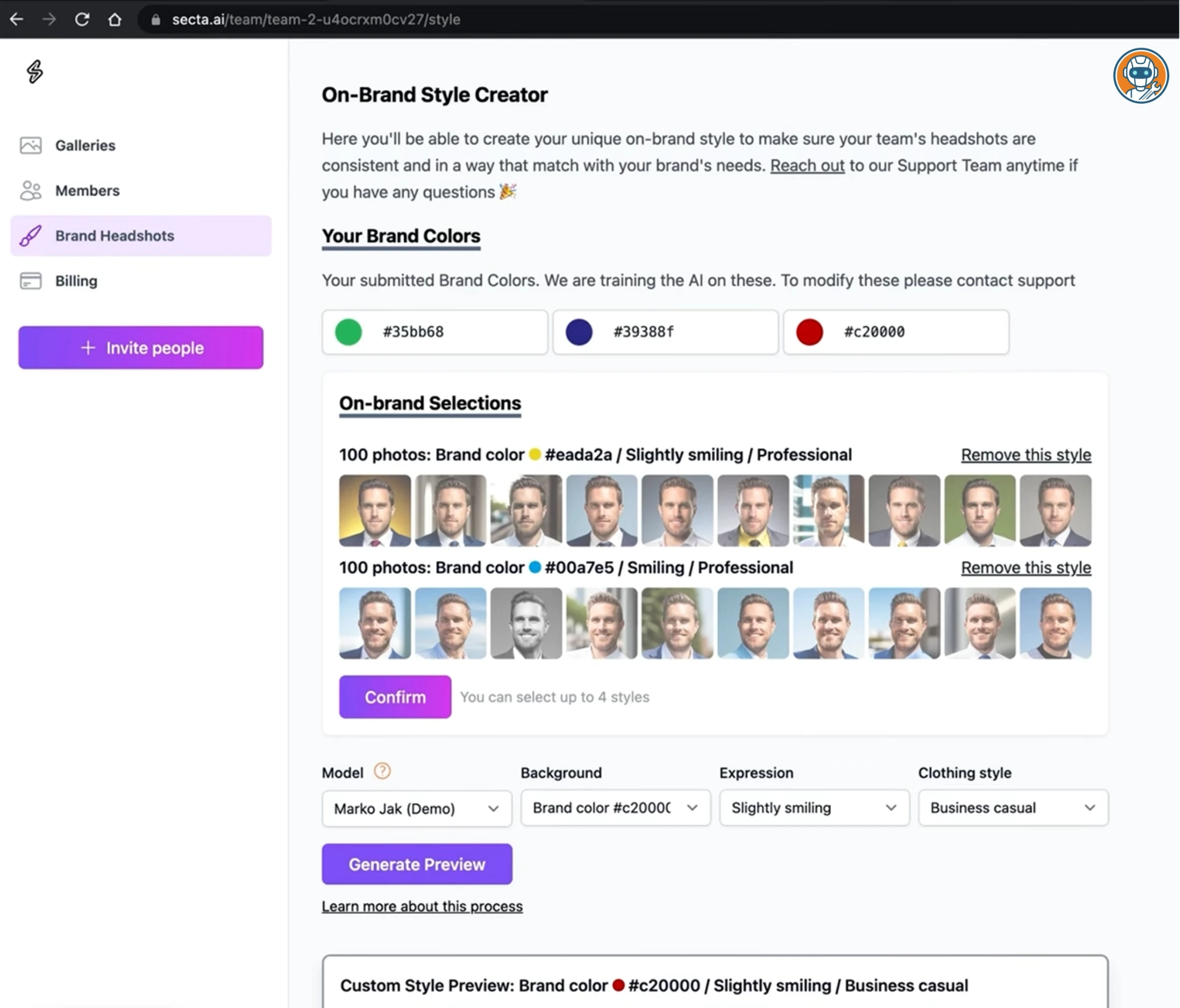
#3 Secta AIBest for tinkering — remix and edit outputs after generation
How We Evaluated These Tools
Most "best AI headshot" articles use the promotional images from each company's website. Cherry-picked, retouched, and about as representative as a fast food menu photo.
We went deeper. We analyzed real user outputs shared on Reddit (r/linkedin, r/remotework, r/headshots), combed through hundreds of Trustpilot reviews, tested free tiers where available, and compared official output galleries against what actual paying customers receive.
What we evaluated:
- Realism: does it look like a real photograph or an AI rendering?
- Skin texture: natural pores and imperfections, or waxy smoothed-out plastic?
- Lighting: studio-quality directional light, or flat AI-generated wash?
- Background variety: office, outdoor, studio, or just blurred blob?
- Outfit options: suit, casual, creative, or whatever the AI decides?
- Turnaround time: minutes or hours?
- Data privacy: what happens to your face after you pay?
Here's what separates the legitimate tools from the hype.
The 5 AI Headshot Generators Worth Your Money
1. HeadshotPro — The Safe Bet (And That's Not an Insult)
HeadshotPro doesn't produce the most stunning headshots. It produces the most consistently usable headshots. And in a category where one bad output can waste your entire purchase, consistency is everything.
Users consistently report getting 40 variations back in about 2 hours. The consensus across Reddit and Trustpilot: roughly 60%+ of outputs are genuinely usable. Natural skin texture, realistic lighting, professional but not overdone. That's the highest hit rate of any tool in this category. Most competitors hover around 30-40% based on user reports.
The backgrounds range from clean studio backdrops to office environments to outdoor settings. Outfit swaps are included: suit, business casual, and creative options. Unlike cheaper tools, users rarely report the fused-teeth problem or the glossy, airbrushed look that screams "this is fake."
The 14-day money-back guarantee is rare in this space. Most AI headshot tools have a strict "no refunds once processing starts" policy because GPU time costs real money. HeadshotPro eating that cost signals confidence in their output quality, and it removes the anxiety of spending $29 on something you've never tried.
Privacy: all uploaded photos and generated images are deleted after 30 days. Clear policy, clearly stated, not buried in a 4,000-word privacy policy.
The catch: $29 gets you the basic package with 40 headshots. The "Premium" tier at $69 gives you 120 headshots and more style options. Don't bother. The AI model is identical. You're just paying for more volume to sift through. Get the basic tier, pick your 2-3 best shots, and you're done.
Highest usable output rate at 60%+ with a rare 14-day money-back guarantee.
Users who want post-generation editing or remix tools.
- Highest consistency rate — users report 60%+ of outputs are genuinely usable
- 14-day money-back guarantee (rare for AI headshot tools)
- Natural skin texture — avoids the waxy, over-smoothed look
- Photos and data deleted after 30 days
- Outfit and background variety included in the basic tier
- 2-hour turnaround — slower than some competitors
- No editing or remixing tools after generation
- $69 premium tier is a waste — same AI model as the $29 tier
- Limited ethnicity and skin tone accuracy in some edge cases
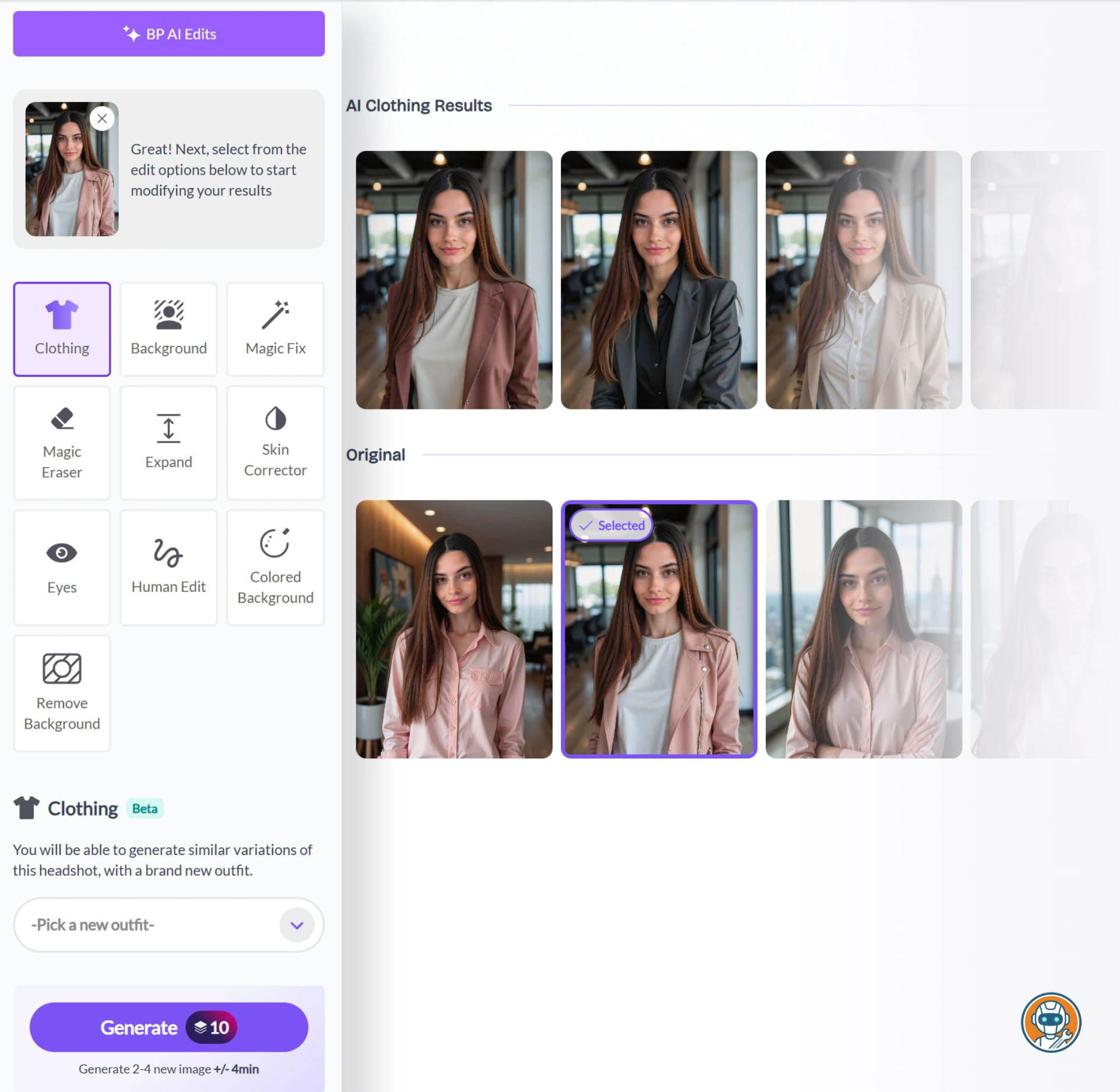
2. BetterPic — The One Reddit Actually Likes
If you spend any time in r/linkedin or r/remotework threads about AI headshots, BetterPic is the name that keeps coming up. There's a reason for that: it produces the most realistic skin textures of any tool in this category.
Where most AI headshot generators default to aggressive smoothing (erasing pores, evening out skin tone, removing every imperfection), BetterPic keeps the natural texture. Slight wrinkles stay. Pores are visible. The result looks like a photo taken by a good photographer with a quality lens, not an AI rendering with a beauty filter cranked to maximum.
The 4K output is a real differentiator. Most tools generate at 1024x1024 or 512x512 and upscale. BetterPic's native resolution means you can crop and still have a sharp image, useful if you need the same headshot for LinkedIn, your company website, and a conference badge. The Basic tier at $35 gets you 20 headshots in one style. The Pro at $39 bumps that to 60 headshots across three styles, and honestly, the $4 upgrade is worth it for the variety alone.
Privacy is handled well. Photos are auto-deleted after processing. No vague "we may retain for quality improvement" language.
The catch: The Basic tier only gives you 20 headshots in one style, so you'll want the $39 Pro for real variety. Turnaround is reportedly 2-3 hours. And if you need creative or casual styles, HeadshotPro gives you more range. Redo requests cost $10 each if the AI completely misses the mark.
Keeps natural pores and imperfections instead of over-smoothing, producing photos that look real.
Anyone who needs wide style variety beyond professional studio looks.
- Most realistic skin textures in the category — keeps natural pores and imperfections
- 4K native resolution — no upscaling artifacts
- Auto-deletes photos after processing (strong privacy stance)
- Handles glasses and facial hair better than most competitors
- Reddit-approved — consistently recommended in real user threads
- ~3 hour turnaround — slower than average
- Narrower style variety (mostly professional studio looks)
- Basic tier ($35) only gets you 20 headshots in one style — Pro ($39) is the real value
- Smaller company — less established than HeadshotPro or Aragon
3. Secta AI — For People Who Need to Tweak Everything
Secta AI is what happens when an AI headshot tool is built by engineers instead of marketers. It's the least polished interface on this list, and the most powerful.
The key differentiator is what happens after the AI generates your headshots: you can edit them. Change the background. Adjust the lighting. Swap the outfit. Remix elements from different outputs into a single final image. No other tool on this list offers that level of post-generation control.
For developers, designers, and anyone who's ever thought "this would be perfect if I could just change the background," Secta is the answer. Users on Reddit report spending 15-20 minutes remixing outputs and ending up with something that looks like a custom studio shoot. That hands-on workflow isn't for everyone, but if you're the type who adjusts kerning in Figma, you'll appreciate it.
Output quality is strong. Not quite BetterPic's realism, but better than Aragon's over-processing. The skin texture is natural. Lighting is directional and convincing. The initial generation hit rate is reportedly around 40%, but the editing tools let you salvage borderline shots that other tools would just waste.
The catch: $49 is the steepest starting price on this list. The interface has a learning curve. This isn't a "upload and wait" experience. And if you just want a quick LinkedIn photo without thinking too hard, HeadshotPro or BetterPic will get you there faster.
Only tool that lets you remix backgrounds, lighting, and outfits after the AI generates.
Non-technical users who just want a quick LinkedIn photo without a learning curve.
- Post-generation editing — remix backgrounds, lighting, outfits after the AI generates
- Most control over final output of any tool in this category
- Good natural skin texture (avoids the plastic look)
- Ideal for tech-savvy users who want to fine-tune their results
- $49 starting price — most expensive on this list
- Interface has a learning curve (not beginner-friendly)
- Initial generation hit rate (~40%) lower than HeadshotPro
- Overkill if you just need a quick LinkedIn photo
4. Aragon AI — The Volume King (With a Plastic Problem)
Aragon AI is the tool you've seen on every "best AI headshot" listicle because it pays a 30% affiliate commission and has an aggressive marketing team. That doesn't mean it's bad. It means you should read the reviews more carefully.
The Basic package at $35 generates 40 headshots with one attire and one background choice. The Standard at $45 bumps you to 60 headshots with two of each, and that's the tier 83% of users pick according to Aragon's own site. Executive at $75 unlocks everything: 100 headshots, all attires, all backgrounds, enhanced resolution. Corporate, creative, outdoor, casual. Aragon throws everything at the wall. And some of it genuinely sticks. Users report getting 15-20 usable shots from the Standard tier.
The problem is the "Aragon look." There's a distinct over-processing that smooths skin to the point where it looks like a video game character. Reddit threads are full of this complaint. Teeth sometimes merge into a single white strip. Eyes occasionally have that dead, soulless quality that makes people double-take on LinkedIn.
The catch: Data retention. Aragon retains uploaded photos for up to 90 days, the longest of any tool on this list. If you're privacy-conscious (and if you're reading this site, you probably are), that's worth noting. The company says it's for "quality improvement," but 90 days is a long time to keep someone's biometric data.
Fastest turnaround at 15 minutes on Executive tier with the widest style variety.
Privacy-conscious users — 90-day data retention is the longest on this list.
- Tiered packages from $35 to $75 — something for every budget
- Widest variety of styles, backgrounds, and outfits (on Standard+)
- Fast turnaround — 45 min on Basic, 15 min on Executive
- Well-documented process with clear upload instructions
- Over-smoothed skin — the 'Aragon look' is noticeably AI
- Teeth fusion and dead-eye artifacts in ~30% of outputs
- 90-day data retention — longest of any tool on this list
- Heavily marketed — most affiliate reviews are biased toward it
5. Try It On AI — Fast and Cheap (You Get What You Pay For)
Try It On AI is the budget option. At $21 for 100 AI-generated images, it's the cheapest tool on this list per-photo, and the results are exactly what you'd expect at that price point.
Turnaround is reportedly the fastest in the category: under an hour. If you need a headshot by tomorrow morning and don't care about perfection, Try It On AI delivers. The output quality is... acceptable. Based on user samples shared on Reddit, some shots look decent enough for a LinkedIn profile that people will only glance at for two seconds. Others look like someone ran a phone selfie through three Instagram filters simultaneously.
The consistency is poor. Users report maybe 20-25 usable shots out of 100. That's a ~25% hit rate, the lowest on our recommended list. The skin smoothing is heavy, the lighting tends to be flat, and the backgrounds are generic blurred gradients rather than realistic environments. The variety in poses, wardrobe, and backgrounds is actually the widest of any tool. There's just a lot of duds mixed in.
Who it's for: Students, freelancers, and anyone who needs "something better than a selfie" without spending more than $21. It's the Toyota Corolla of AI headshots. Nobody's excited about it, but it gets you from A to B.
100 AI-generated images for $21 — cheapest per-photo cost of any tool on this list.
Anyone who needs realistic, natural-looking headshots for professional use.
- Cheapest option — $21 for 100 AI-generated images
- Fastest turnaround — under 1 hour
- Most variety in poses, wardrobe, and backgrounds
- Good enough for profiles people only glance at briefly
- Heavy skin smoothing — outputs look obviously filtered
- ~25% usable hit rate despite 100 images (lowest on our list)
- Flat, generic lighting and backgrounds
- No editing or remix tools after generation
The Hall of Shame: What Happens When AI Headshots Fail
Every "best AI headshot" article shows you the wins. Here's what they don't show you.
Across Reddit threads, Trustpilot reviews, and real user galleries, the same failures keep showing up:
- Fused teeth: the AI merges individual teeth into a single white strip, creating an uncanny smile that looks like dentures
- Dead eyes: technically correct but emotionally vacant, like a wax museum figure
- Neck distortion: the AI generates a perfectly fine face and then connects it to a neck that's the wrong width, angle, or skin tone
- Earring hallucinations: jewelry appearing from nowhere, sometimes only on one ear, sometimes floating beside the head
- The "Instagram model" effect: skin smoothed to the point where you look 15 years younger and 100% fake
- Background bleeding: hair merging into the background, or suit collars dissolving into the studio backdrop
The #1 cause of bad outputs isn't the AI model. It's bad input photos. Sunglasses, heavy shadows, inconsistent facial hair between photos, and heavily filtered selfies all confuse the model. Garbage in, garbage out. More on how to fix this below.
Full Comparison: Pricing, Quality, and the Fine Print
| Feature | HeadshotPro | BetterPic | Secta AI | Aragon AI | Try It On AI |
|---|---|---|---|---|---|
| Starting Price | $29 | $35 | $49 | $35 | $21 |
| Photos Generated | 40 | 40+ | 50+ | 40–100 | 100 |
| Turnaround Time | ~2 hours | ~3 hours | ~2 hours | 15–45 min | < 1 hour |
| Realism Rating | High | Very High | High | Medium | Low–Medium |
| Data Deletion | 30 days | After processing | On request | 90 days | Not specified |
| Editing Tools | ✗ | ✗ | ✓ Full remix | ✗ | ✗ |
| Best For | LinkedIn, corporate | Realism purists | Tinkerers, designers | Volume / variety | Budget / speed |
| Action | Try HeadshotPro → | Try BetterPic → | Try Secta AI → | Try Aragon AI → | Try It On AI → |
Data Privacy: Do These Companies Own Your Face?
You're uploading biometric data, your actual face, to a server. For our audience, this matters.
Here's what the actual privacy policies say (not the marketing summaries):
- HeadshotPro: deletes all uploaded and generated images after 30 days. Clear, simple policy.
- BetterPic: auto-deletes after processing. The strongest privacy stance on this list.
- Secta AI: retains until you request deletion. Not ideal, but they honor requests.
- Aragon AI: retains data for up to 90 days "for quality improvement." The vaguest and longest retention period.
- Try It On AI: deletion policy is not clearly documented. That's a red flag, not a gray area.
None of these tools explicitly state they use your photos to train future models, but only HeadshotPro and BetterPic explicitly state they don't. The rest leave it ambiguous. If your threat model includes "I don't want my face in an AI training dataset," stick with the top two.
For broader privacy protection beyond headshots, our Incogni vs Privacy Bee comparison covers how to remove your personal data from broker sites. A great headshot doesn't help if your home address is already on the internet.
Stop Wasting Money: How to Actually Get Good Results
The biggest gap in every AI headshot article out there: nobody explains why users get terrible results. The answer is almost always bad input photos.
The 5 rules for input selfies:
- Window lighting only. Stand facing a window during the day. Natural, diffused light. No overhead fluorescents, no ring lights, no flash. The AI can generate studio lighting from a well-lit input, but it can't fix harsh shadows from a desk lamp.
- No sunglasses, no hats. The AI needs to see your full face in every photo. Sunglasses in even one input photo will confuse the model and produce inconsistent eye rendering.
- Consistent facial hair. If you have a beard in 3 photos and are clean-shaven in 2, the AI doesn't know which version of you to generate. Pick one and stick with it across all inputs.
- No filters. Instagram filters, Snapchat beauty mode, portrait mode bokeh: all of these distort the data the AI needs. Use your phone's default camera app. Raw photos, straight from the sensor.
- Front-facing, mostly. 3-4 photos looking directly at the camera, 1-2 with a slight angle. Don't upload profile shots or photos where you're looking away. The AI needs your full face from the front to build an accurate 3D model.
Following these rules won't guarantee perfect results. But ignoring them virtually guarantees bad ones. Every "AI headshots are garbage" Reddit post we've seen? Bad input photos. Every time.
Final Verdict: Which AI Headshot Generator Should You Use?
For most people updating their LinkedIn: HeadshotPro at $29. Best consistency, 14-day refund, solid privacy policy. Upload your selfies, wait 2 hours, pick your best shots. Done.
If realism is your top priority: BetterPic at $35. The only tool where outputs look like actual photographs rather than AI renders. Worth the extra $6 if "looking fake" is your biggest fear.
If you want to edit and customize: Secta AI at $49. The most powerful option if you're willing to spend 20 minutes tweaking. Not for everyone, but for designers and tech people, it's the best final result.
On a tight budget: Try It On AI at $21 for 100 images. It's fine. Not great. But better than the phone selfie you took in your bathroom mirror.
Skip Aragon AI unless you need sheer volume. The over-processing, 90-day data retention, and "plastic look" make it hard to recommend when HeadshotPro and BetterPic exist at similar or lower prices.
And if you need more than headshots (product images, marketing graphics, or creative art) check our AI image generators roundup for the full breakdown of Midjourney, Leonardo AI, and the rest.
And the contrarian take: don't buy the premium tiers. Every tool on this list upsells you on $50-$70 packages promising 100+ variations. The underlying AI model is identical to the basic tier. You're paying for more photos to sift through, not better photos. Buy cheap, pick your 2-3 winners, and move on. The $200 you save over a photographer is the real value here. Don't give half of it back on unnecessary upsells.
One more thing. If you're using AI-generated headshots for a professional profile, make sure the rest of your online presence holds up too. A great headshot paired with a generic "about me" section doesn't convince anyone. Check our best free AI writing tools for polishing your LinkedIn copy without sounding like ChatGPT wrote it (even if it did). And if the profile update includes your resume too, our AI resume builders roundup covers the tools that are actually useful for tailoring job applications.
And if you want to turn that headshot into a talking avatar for video ads? Tools like HeyGen can take a still photo and animate it with lip-synced speech in 175+ languages. We break down the full stack in our AI video generators for marketers roundup.
Frequently Asked Questions
Ready to check HeadshotPro?
Use the verified route if the trade-offs still fit. If not, jump back to the summary and compare the alternatives.
AI tools editor focused on public docs, changelogs, API limits, free-tier constraints, and developer community feedback. Turns fast-moving AI claims into buyer-focused recommendations without implying undocumented hands-on testing.
Anthony starts with the workload behind the demo, then ranks AI tools by documented model access, limits, implementation clarity, failure behavior, and the cost of an acceptable result.
Related Articles

Bardeen vs Zapier Agents vs Lindy: Best AI Coworker
AI coworkers compared by starting context, agent authority, usage economics, approval boundaries, and offboarding clarity
Compare Bardeen, Zapier Agents, and Lindy by workflow fit, approvals, credits, integrations, browser permissions, and cancellation terms.
GPT-5.6 vs Claude Sonnet 5 API: Which Tier Fits?
Production API model routing guide
GPT-5.6 Sol, Terra, and Luna compared with Claude Sonnet 5 on API price, long context, tokenization, migration risk, tools, and workload fit.