
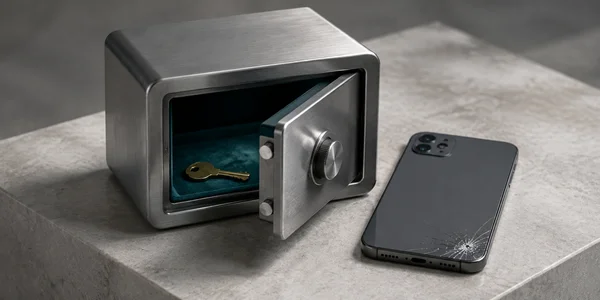
A replacement phone is a poor time to discover what your authenticator meant by “backup.” A saved account name may still need a fresh sign-in. A cloud copy may restore only to the same operating system. An encrypted file is useful only if you can find it and unlock it.
Ente Auth is my first choice for personal accounts across iPhone, Android, and a computer. It combines encrypted cloud backup with an independent export path. I would choose 2FAS for a phone-first setup with browser assistance, or Aegis for Android-only use where I control the backup files. An employer-mandated Microsoft or Duo installation is a separate decision: keep the app your organization requires.
I checked official product pages, store listings, and recovery documentation on September 6, 2026. All seven mobile apps remain free. These are evidence-led recommendations, not results from installing the apps, moving real accounts, or simulating a lost phone. The scores express fit for a personal-account recovery scenario, not measured resistance to an attack.
-
#1 Ente AuthBest overall: encrypted sync plus an export you can keep separately
-
#2 2FASBest phone-first option: free Auth app, browser assistance, portable backup file
-
#3 AegisBest Android-only option: local vault and user-controlled backups
Best authenticator app by platform
- iPhone: Ente Auth if you want the option of changing ecosystems later. 2FAS is a good alternative when you prefer to keep daily authentication on the phone.
- Android: Aegis if you will maintain a separate encrypted backup; Ente if you want account-based sync across different devices.
- MacBook or Windows computer: Ente has desktop and web apps. The 2FAS browser extension works with the phone; it should not be treated as an independent recovery device.
- Work or school: Follow the organization's enrollment requirements. A personal TOTP app does not replace every Microsoft approval or Duo Push workflow.
How I ranked the best authenticator apps
The buyer here has several personal logins, may replace a phone, and wants to avoid enrolling every account again. Recovery gets 35% of the score, portable export 30%, platform reach 20%, and access control 15%. Every card uses those same four criteria. The weighted total is rounded once to one decimal place.
Recovery rewards a documented route back after device loss, with dependencies stated. Export rewards a backup the reader can keep outside the app's live sync system. Platform reach includes useful computer access and moving between mobile systems. Access control considers documented vault encryption, app locks, and account dependencies; it is not a cryptographic audit. Price does not separate these apps because the mobile authenticator costs nothing in each case.
Aegis therefore places third in this mixed-device ranking even though it is the Android-only pick. Microsoft can be essential for an employer and still finish below a portable personal authenticator. Those are different jobs. For password storage itself, start with the password manager comparison; this guide covers the separate authentication decision.
The seven apps at a glance
| Feature | Ente Auth | 2FAS | Aegis | Google Authenticator | Microsoft Authenticator | Duo Mobile | Authy |
|---|---|---|---|---|---|---|---|
| Price | Free | Free | Free | Free | Free | Free app | Free mobile app |
| Platforms | iOS, Android, desktop, web | iOS, Android; companion extension | Android | iOS, Android | iOS, Android | iOS, Android | iOS, Android downloads |
| Recovery dependency | Ente account for cloud sync; independent export | Back up before losing the phone | Your backup location and password | Google account sync, or old phone for QR transfer | Same OS family; some accounts need sign-in again | Same OS family; employer settings or backup password | Phone-number account and backup password |
| Portable copy | Encrypted or plaintext export | Local 2FAS file; password recommended | Encrypted or plaintext export | QR account transfer | Do not assume a portable token file | Restore process, not a general migration promise | Sync is not an independent export |
| Best for | Mixed-device personal accounts | Phone-first browser logins | Android with local control | Simple mobile account sync | Microsoft and required work accounts | Duo-protected organizations | An existing, documented Authy setup |
| Action | Try free | Try free | Try free | Try free | Try free | Try free | Try free |
“Free app” does not mean an organization's identity platform is free. The table prices the mobile authenticator, not Microsoft enterprise services, a Duo deployment, or Twilio developer APIs.
The seven apps ranked
1. Ente Auth: the strongest mixed-device starting point
With Ente Auth , the useful combination is encrypted sync and a way to leave. Its documentation lists plaintext and encrypted exports, while the product page covers mobile, desktop, and web access. That gives a household moving between iPhone and Android more options than a backup tied to one mobile platform.
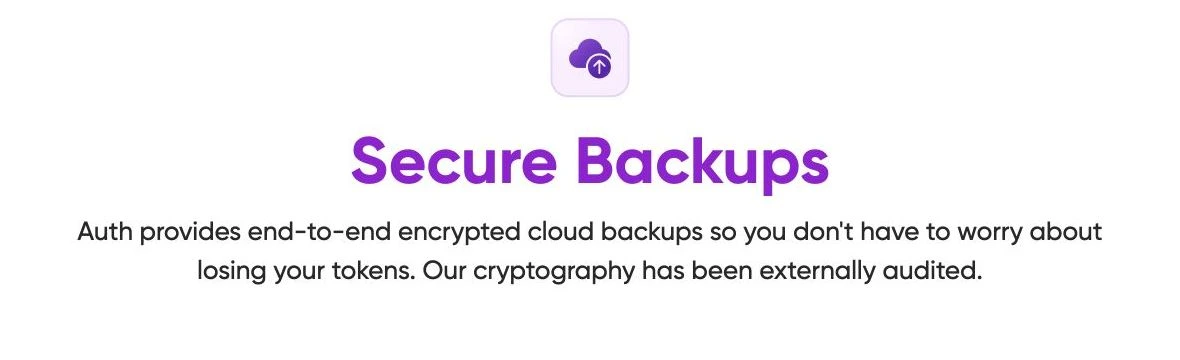
Ente describes its cloud backup as end-to-end encrypted. The screenshot below records that vendor statement; it is not proof from a device-loss test or an independent audit performed for this review. The separate export option is what makes the recommendation less dependent on continued access to one account.
The catch is recovery: Ente's offline mode does not include cloud backup. Its current help page says device transfer and operating-system backup are not supported ways to recover offline-mode codes. Create a separate encrypted export and keep its password accessible. An app lock is also not a substitute for that recovery password.
The documented export path gives the reader a second recovery route beyond live sync.
Anyone wanting an employer-specific approval app, or refusing both an account and manual backup work.
Recovery 35%, export 30%, platforms 20%, access control 15%: 9.05 rounds to 9.1. Broad device access and encrypted export win; account and offline-mode dependencies prevent a perfect score.
- Encrypted cloud backup and separate encrypted export
- Mobile, desktop, and web access
- Offline use available without an account
- Offline mode needs a manually preserved backup
- Cloud recovery still depends on account access
2. 2FAS: a phone-first app with a useful exit
2FAS Auth suits someone who wants authentication on the phone while using a browser extension for routine logins. The extension is a companion, not a standalone desktop vault. The official transfer guide also provides a concrete exit: export a local 2FAS Backup file and import it on the other phone. That procedure supports moving between iOS and Android; 2FAS recommends protecting the exported file with a password.
2FAS Auth is free. Do not confuse it with 2FAS Pass, the separate password manager. Pass currently lists a Free plan and Unlimited at $9.99 per year, payable in the app. That subscription is not the price of using the authenticator or its companion Auth extension.
I put it below Ente because its browser convenience does not supply the same independent desktop access. Keep a backup outside the phone before relying on it. A file stored only on the device you are trying to recover is not a useful lost-phone plan.
Its transfer guide explicitly describes a local file rather than asking the reader to assume cloud backups cross ecosystems.
Someone who needs codes in a standalone desktop app when the phone is unavailable.
The shared 35/30/20/15 rubric yields 8.1. Password-protected file transfer earns the export score; a phone-dependent extension limits platform reach compared with Ente.
- Free authenticator, distinct from the Pass subscription
- Documented iOS/Android file transfer
- No account required for the Auth app
- Extension depends on the phone workflow
- The export must exist before the phone is lost
- A forgotten file password can defeat the backup
3. Aegis: Android control, with work attached
Aegis is the Android-only choice for people who want to choose where their vault backups go. Its official repository documents an AES-256-GCM encrypted vault, password or biometric unlocking, plaintext or encrypted export, and automatic backups to a selected location. Those are published design features, not an independent security certification.
Local control does not automatically make recovery simple. You need a backup outside the original device and the means to decrypt it. This is why Aegis scores strongly for export but loses ground for mixed-device recovery: it cannot become your iPhone authenticator merely because you copied a file. Check the destination app's supported import format before switching.
A documented choice of backup destination makes the recovery dependency visible.
An iPhone household or anyone expecting a managed multi-platform sync service.
The shared rubric gives 7.6. User-controlled encrypted exports are its strongest feature; Android-only availability and user-managed backup responsibilities reduce the overall score.
- Encrypted vault with password or biometric unlock
- Encrypted export and automatic backup options
- Free and open source
- Android only
- Backup location and password are your responsibility
- Import support differs between destination apps
4. Google Authenticator: simple sync with a clear dependency
Google Authenticator gives you a choice: sign in to sync codes with a Google account, or use the app without an account. Google's help page says synced codes appear on a new device after sign-in. Manual QR transfer, however, requires the old device. That transfer is useful during a planned upgrade; it does not recover a phone that is already gone.
Google describes encryption in transit and at rest. I do not equate that wording with Ente's explicit end-to-end encryption claim, and I have not independently inspected either implementation. The ranking puts Google above Microsoft for this personal-account scenario because its documented account sync and QR migration are straightforward to explain. That is a portability judgment, not a claim that one company has safer cryptography.
The help page clearly distinguishes account sync from device-to-device QR transfer.
Readers who require a documented encrypted-file backup outside their account provider.
The shared rubric yields 7.05, rounded to 7.1. Account sync helps recovery; QR transfer's need for the old phone is weaker than an independently stored encrypted file.
- Optional Google account sync
- Documented QR transfer between phones
- Codes can be generated offline
- Manual migration needs the old phone
- Sync adds dependence on Google account access
5. Microsoft Authenticator: keep it for the right accounts
Microsoft Authenticator is the practical choice when work, school, or a Microsoft sign-in flow requires it. It also handles third-party one-time codes. The important distinction is between restoring a code and restoring the ability to approve an organizational sign-in.
Microsoft documents same-device-type backup and restore: an iOS backup cannot be restored to Android. It also says work or school accounts are backed up as account names and need sign-in again. The same account-name limitation applies to personal accounts using passwordless sign-in. Do not wipe the old phone on the assumption that every approval will return with the backup.
The current support FAQ also says password autofill ended in August 2025. An App Store description still mentions autofill; for that feature, I follow the explicit support notice rather than the store's broader marketing copy. This review does not recommend Authenticator as a password manager.
A restored account name is not a promise that passwordless access is restored.
Someone choosing solely for easy migration of a personal code collection between operating systems.
The shared rubric gives 6.55, rounded to 6.6. Microsoft account integration helps, but same-OS restore and account re-verification reduce personal-account portability.
- Supports Microsoft and third-party accounts
- Required approval flows remain available in the intended ecosystem
- Backup documentation distinguishes account types
- Backups do not cross iOS and Android
- Work accounts can need fresh verification
- Password autofill is discontinued
6. Duo Mobile: an organizational fit, not a universal replacement
Duo Mobile supports Duo-protected accounts and third-party one-time codes. The free app is useful when your organization runs Duo, but that does not make its recovery process interchangeable with a personal vault.
Duo's guide separates employer-controlled accounts from third-party accounts. The recovery risk differs: administrator settings can govern work access, while third-party backup requires a recovery password that Duo cannot recover for you. Backups do not restore across Android and iOS. Before changing phones, establish which account type you have and whether self-service reactivation is available. An IT help desk may be part of the plan.
Employer reactivation and personal-token restoration have different prerequisites.
A new personal user who wants a broadly portable encrypted export workflow.
The shared rubric yields 5.9 for personal-account portability. Organizational integration remains useful, but restore settings, same-OS backups and password dependencies narrow the default fit.
- Duo Push for enrolled organizational accounts
- Third-party one-time codes supported
- Documented backup and reactivation routes
- Organization settings can control recovery
- No cross-platform backup restore
- Duo cannot recover the third-party backup password
7. Authy: understand the recovery requirements before moving
Authy remains a free mobile authenticator. Twilio's current download guide lists iOS and Android. Its account requires a phone number, while its encrypted backup uses a separate password. Twilio says that backup password is never sent to or stored on its servers; regaining the phone number therefore does not guarantee you can decrypt the tokens.
Authy's documented sync can put codes on another enrolled device. I would not treat sync within Authy as an independent export, or recommend a desktop workflow from old references to computers in its help text. For a new setup, I prefer Ente or 2FAS because the separate-file option is easier to identify. Existing Authy users should arrange a working alternative before removing anything; changing apps in a rush can create the lockout this guide is trying to prevent.
Account recovery and decrypting the backed-up tokens are two different hurdles.
New users specifically looking for a clear, independent encrypted-file exit.
The shared rubric gives 5.6. Encrypted backup and another enrolled device help, but phone-number dependence and no verified portable-file workflow reduce the new-user recommendation.
- Free iOS and Android apps
- Encrypted backup with a separate password
- Sync across enrolled devices
- Phone number required for the account
- Backup password is a separate recovery dependency
- Independent export was not verified
How I would choose before moving any accounts
Start with the account you cannot afford to lose, not the app with the longest feature list. If it belongs to an employer, ask which approval and re-enrollment methods the organization supports. That requirement can settle the choice before a personal-app comparison matters. Keep a second decision for your own email, shopping, and other accounts; the work app does not have to hold everything.
Next, decide who will maintain the fallback. Choose account-based sync if you want access on several devices and can preserve the account's recovery material separately. Choose a local-vault approach if you are willing to manage the backup destination and its password. Neither choice removes the work. It changes whether your first recovery dependency is an online account or a file you must keep safe.
For a planned move between iPhone and Android, check the destination before exporting. A same-platform cloud restore, a QR transfer, and an independent encrypted file are different migration routes. Avoid assuming that a visible list of account names means the underlying codes or organizational approvals have returned. Keep the old enrollment available until the new one actually works.
Proton Authenticator is an obvious alternative outside these seven ranked apps. Its current product page lists mobile and desktop access, so it belongs on a cross-device shortlist. I have not reconciled its detailed recovery and export requirements under this guide's rubric, and have not assigned it a score. This is a maintained comparison of seven selected apps, not a claim that every available authenticator was evaluated.
Before replacing the phone
Keep the old device available while you confirm the new setup. The following is a reader checklist, not a claim that these steps were completed for this review.
- Identify the recovery route for each account. Record whether it uses a saved code, a passkey, an organizational approval, or a service-specific recovery process.
- Keep an independent fallback. Save service-issued recovery codes securely outside the phone. An encrypted vault is useful only if you can unlock it without the missing authenticator.
- Check the backup's destination and password. Do not assume a file on the same phone survives device loss. Our encrypted storage comparison covers storage choices, but storage alone does not prove an authenticator backup can restore.
- Confirm the destination platform is supported. A backup labelled iCloud or Google Drive does not establish cross-platform restore. Use the app's documented transfer procedure.
- Verify access before retiring the old device. For work accounts, follow the organization's re-enrollment procedure. Keep existing access until the replacement method works.
For high-value accounts, also review whether the service supports a phishing-resistant passkey or hardware security key. The security key guide and passkey storage comparison address those choices. A rotating code should never be read out to an unexpected caller or pasted into a link they provide.
My verdict: choose the recovery model you will maintain
For a fresh mixed-device setup, start with Ente Auth and preserve a separate encrypted export. Choose 2FAS when phone-first use and its companion browser workflow suit you better. Aegis is the more deliberate Android option if you will manage the backup location and password yourself.
Avoid replacing an employer-required app just to follow this ranking. The strongest reason to reject my Ente recommendation is a requirement it cannot replace: your employer's Microsoft or Duo approval process, or a firm preference for local-only Android storage. Keep those needs separate from your personal-app ranking. Moving every account into the same app is not a goal worth risking access for.
The practical next step is to write down how you would recover tomorrow, with today's phone unavailable. If the answer depends on a password stored behind the same locked account, resolve that dependency before enrolling more services.
Frequently Asked Questions
Ready to check Ente Auth?
Use the verified route if the trade-offs still fit. If not, jump back to the summary and compare the alternatives.
Security and privacy editor focused on evidence-led buying guides. Reads official documentation, audit notes, privacy policies, recovery limits, and support pages before turning security claims into practical recommendations.
Sarah starts by locating the evidence boundary, then ranks security and privacy tools by audit and policy scope, recovery design, trust boundaries, residual risk, and what a cautious buyer can verify.
Related Articles
Venice AI vs Proton Lumo vs Duck.ai: Which Private AI Chat Fits?
Private AI chat decision guide
Venice AI, Proton Lumo, and Duck.ai compared by privacy architecture, saved-history protection, provider exposure, plan limits, model access, and price.
Malwarebytes vs Bitdefender vs Norton
Paid antivirus decision guide
Malwarebytes, Bitdefender, Norton, and Microsoft Defender compared by paid antivirus value, real-time protection, renewal risk, bundle scope, and lab evidence.